In 2024, nearly 75% of enterprises experienced at least one critical risk event, according to Forrester’s Business Risk Survey. Cyberattacks and IT failures topped the list. Yet when boards asked their risk teams for early-warning signals, most got heat maps coloured after the fact and backward-looking loss reports.
The gap between knowing a risk exists and detecting it before it becomes a crisis is exactly what key risk indicators (KRIs) are designed to close.
As risk practitioners, we know that a well-designed KRI template is not a bureaucratic exercise. It is the operational backbone of any enterprise risk management program that aims to be proactive rather than reactive.
Deloitte’s 2025 Global Risk Management Survey found that 72% of organisations plan to expand their use of risk analytics and KRIs this year. The demand is clear. What most teams lack is a structured, repeatable template that connects each indicator to a real risk, a real owner, and a real escalation path.
| Key Takeaways |
| KRIs are forward-looking metrics that signal rising risk before losses materialize. Unlike KPIs, they measure exposure, not performance. |
| An effective KRI template ties each indicator to a specific risk, an owner, measurable thresholds (green/amber/red), a data source, and a documented escalation path. |
| 72% of organizations plan to expand their use of KRIs in 2025, yet only 35% have mature ERM processes to support them (Deloitte, AICPA 2025). |
| Cybersecurity, operational failure, and third-party vendor risk are the three categories demanding the most KRI attention in 2025-2026. |
| Organizations that contain insider threats within 31 days spend $10.6M on average vs. $18.7M when containment exceeds 91 days, proving the ROI of early-warning KRIs. |
| A practical KRI framework integrates with ISO 31000 and COSO ERM, feeding real-time dashboards that drive board-level decisions, not just compliance checklists. |
This guide delivers that template. We will walk through what makes a KRI effective, provide 30+ examples across operational, financial, cyber, and compliance risk domains, show you how to set thresholds that trigger action (not just reports), and explain how to integrate your KRI framework with ISO 31000 and COSO ERM. Whether you are building a KRI program from scratch or sharpening an existing one, what follows is designed to be immediately usable.

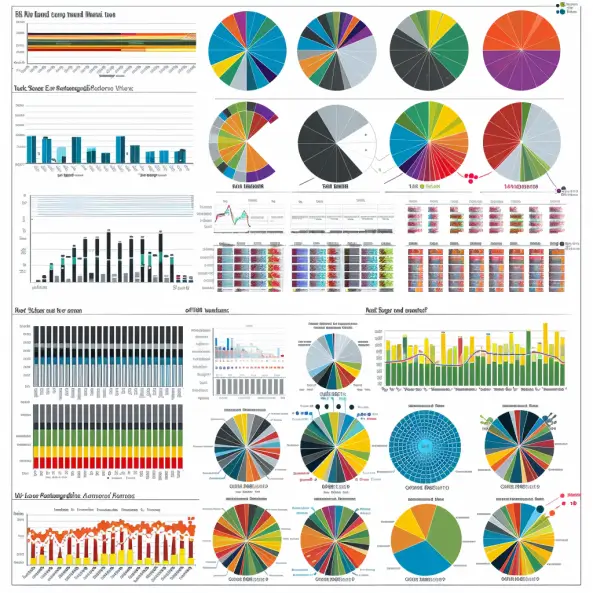
Figure 1: Key Risk Indicator Statistics at a Glance (2025)
What Are Key Risk Indicators and Why Do They Matter?
A key risk indicator is a quantifiable metric that provides early warning of increasing risk exposure in a specific area of the business.
The operative word is early. Unlike a key performance indicator (KPI), which tells you how well you performed last quarter, a KRI tells you what might go wrong next quarter if conditions continue on their current trajectory.
Consider the difference: a KPI might track system uptime at 99.5% last month. The corresponding KRI would track number of unpatched critical vulnerabilities exceeding 30 days, a metric that predicts where uptime will deteriorate before it actually does. This forward-looking orientation is what makes KRIs indispensable to proactive risk management.
According to AICPA and NC State University’s 2025 ERM report, 61% of senior finance leaders agree that risk volume and complexity have changed extensively in the past five years. Yet only 11% view risk management as a strategic tool delivering competitive advantage.
That disconnect persists because too many organizations track risks without measuring the signals that predict them. A structured KRI template bridges this gap.
KRI vs KPI: A Practitioner’s Comparison
| Dimension | Key Risk Indicator (KRI) | Key Performance Indicator (KPI) |
| Focus | Forward-looking: what could go wrong | Backward-looking: how did we perform |
| Purpose | Early warning of rising risk exposure | Measurement of goal achievement |
| Example | % of vendors with cybersecurity rating below threshold | Revenue growth rate vs. target |
| Trigger | Breach of risk tolerance threshold | Variance from performance target |
| Owner | Risk function (2nd line) with 1st line data | Business unit or functional leader |
| Action | Escalation, investigation, mitigation | Course correction, resource reallocation |
| Standards | ISO 31000, COSO ERM, IIA Three Lines | Balanced Scorecard, OKRs |
Anatomy of an Effective KRI Template
Building a KRI template that works requires more than a spreadsheet with columns. Each indicator must connect a measurable data point to a specific risk, an owner accountable for monitoring, thresholds that define when action is needed, and a documented response.
The table below details the nine components every risk register-integrated KRI template should include.
| Component | Description | Example |
| Indicator Name | Clear, specific label for the KRI | Patch Compliance Rate (Critical Systems) |
| Risk Category | Operational, financial, cyber, compliance, strategic, or reputational | Cybersecurity / IT Risk |
| Risk Statement | The specific risk this KRI monitors, aligned to the risk register | Unpatched vulnerabilities exploited leading to data breach |
| Threshold Levels | Green (normal), Amber (watch), Red (breach) with numeric boundaries | Green: >95% | Amber: 85-95% | Red: <85% |
| Data Source | System or process that feeds the indicator | Vulnerability management platform (e.g., Qualys, Tenable) |
| Collection Frequency | How often data is gathered and reviewed | Weekly scan, monthly board reporting |
| Responsible Party | Who monitors and escalates (Three Lines Model role) | CISO (1st line data), Risk Manager (2nd line oversight) |
| Escalation Path | Who gets notified at each threshold level | Amber: Risk Committee | Red: Board Audit Committee |
| Action Plan | Pre-defined responses when thresholds are breached | Red: Emergency patching sprint, incident response team activation, board notification within 48 hours |
Two points deserve emphasis. First, the threshold levels are where most templates fail. Green/amber/red is meaningless without specific numeric boundaries tied to the organization’s risk appetite statement.
If your risk appetite for cybersecurity states that you accept a residual risk rating of 12 or below on a 25-point scale, your KRI thresholds must map to that number. Second, the escalation path must name roles, not departments. ‘IT’ is not an escalation path. ‘CISO escalates to CRO within 24 hours’ is.
30+ KRI Examples Across Six Risk Domains
The value of a KRI framework depends on selecting indicators that are genuinely predictive for your organization’s risk profile.
Below, we provide practitioner-tested examples across six domains. These align with the risk categories in COSO ERM and the monitoring requirements of ISO 31000:2018. For each, we include the indicator, a suggested threshold trigger, and the risk it monitors.

Figure 2: KRI Distribution by Risk Category in Mature ERM Programs
Operational Risk KRIs
Operational risk remains the broadest category, covering process failures, human error, and system outages.
Forrester’s 2025 survey found that 35% of enterprise risk managers rank operational failure as a top concern. These KRIs provide early visibility into deteriorating operational controls.
| KRI | Threshold Trigger (Red) | Risk Monitored |
| Employee turnover rate (critical roles) | >15% annualized | Loss of institutional knowledge, operational disruption |
| Process failure incidents per month | >5 in 30 days | Control breakdown, customer impact |
| Unplanned system downtime (hours/month) | >8 hours cumulative | Service delivery failure, revenue loss |
| Audit findings open >90 days | >3 high-rated findings | Control environment degradation |
| Near-miss incident rate | >10 per quarter | Safety and operational resilience gaps |
| SLA breach rate (service delivery) | >5% of total SLAs | Customer dissatisfaction, contract penalties |
Financial Risk KRIs
Financial KRIs monitor exposure to losses from market movements, liquidity shortfalls, and credit deterioration.
For organizations managing investment portfolios or pension funds, these indicators feed directly into financial risk assessments and board reporting.
| KRI | Threshold Trigger (Red) | Risk Monitored |
| Budget variance (actual vs. forecast) | >15% negative variance | Financial planning failure, cash shortfall |
| Days sales outstanding (DSO) | >90 days | Liquidity risk, revenue recognition issues |
| Debt-to-equity ratio | >2.5x | Leverage risk, covenant breach exposure |
| Revenue concentration (top client) | >40% from single client | Client dependency risk |
| Foreign exchange exposure (unhedged) | >20% of revenue unhedged | Currency volatility impact |
Cybersecurity and IT Risk KRIs
Cyber risk dominates the risk landscape in 2025-2026. Forrester’s survey shows 37% of enterprise risk managers cite information security as their primary concern, making it the number-one risk category globally.
The NIST Cybersecurity Framework 2.0 provides a structured taxonomy for mapping cybersecurity KRIs to organizational controls.
| KRI | Threshold Trigger (Red) | Risk Monitored |
| Mean time to patch critical vulnerabilities | >30 days | Exploitation of known vulnerabilities |
| Failed login attempts (per hour) | >500 across systems | Brute force or credential stuffing attack |
| Phishing click-through rate | >8% of tested employees | Social engineering susceptibility |
| % of systems with end-of-life software | >10% of production estate | Unsupported system exploitation |
| Incident response time (detection to containment) | >72 hours | Prolonged breach exposure, cost escalation |
| Third-party vendors below security rating threshold | >15% of critical vendors | Supply chain cyber exposure |

Figure 3: Top Risk Concerns Among Enterprise Risk Managers (Forrester, 2025)
Compliance and Regulatory Risk KRIs
Regulatory risk is accelerating, with 130+ new compliance requirements tracked by Secureframe in 2025 alone. These KRIs help compliance risk assessment teams detect drift before it becomes a finding.
| KRI | Threshold Trigger (Red) | Risk Monitored |
| Overdue regulatory filings | >0 past deadline | Regulatory penalty, license risk |
| Controls without current evidence | >20% of key controls | Audit readiness failure |
| Policy exception requests pending >30 days | >5 outstanding | Governance breakdown |
| Training completion rate (mandatory) | <90% by deadline | Non-compliance with regulatory requirements |
| Unresolved regulatory findings | >2 open >60 days | Regulatory relationship deterioration |
Third-Party and Supply Chain Risk KRIs
Forrester’s 2025 data shows 43% identified cyber attack or data breach as the most common third-party risk event.
Meanwhile, McKinsey reports only 42% of organizations have visibility beyond tier-one suppliers. These KRIs monitor the third-party risk management perimeter.
| KRI | Threshold Trigger (Red) | Risk Monitored |
| Critical vendors without current assessment | >10% unassessed >12 months | Unknown vendor risk exposure |
| Vendor SLA breach rate | >15% of critical vendors | Service delivery and operational disruption |
| Vendor financial health rating (Dun & Bradstreet) | <40 score for critical vendor | Vendor insolvency risk |
| Concentration risk (single vendor dependency) | >30% of critical service from one vendor | Supply chain single point of failure |
People and Reputational Risk KRIs
The human dimension of risk is frequently under-measured. Ponemon Institute’s 2025 research found that organizations experience an average of 7,868 insider-related incidents annually, with containment taking 81 days on average.
These KRIs cover the workforce signals that precede operational and reputational events.
| KRI | Threshold Trigger (Red) | Risk Monitored |
| Employee engagement score | <3.0 out of 5.0 | Productivity decline, attrition spike |
| Whistleblower/ethics hotline reports | >5x baseline in a quarter | Culture or compliance breakdown |
| Customer complaint trend (rolling 3-month) | >25% increase quarter-over-quarter | Service quality and reputational damage |
| Social media negative sentiment ratio | >30% of brand mentions negative | Reputational crisis emerging |
| Key person dependency (single point of failure) | >3 critical processes with no backup | Operational resilience gap |

Figure 4: Insider Threat Cost by Containment Time (Ponemon, 2025)
From Template to Framework: A Five-Step Design Process
Having the right indicators is necessary but not sufficient. A KRI template becomes a KRI framework when it is embedded in governance, connected to data, and reviewed at a cadence that matches risk velocity.
The following five steps, aligned with ISO 31000’s monitoring and review process, take you from a spreadsheet to an operational system.
| Step | Action | Key Deliverable | Owner |
| 1. Risk Alignment | Map each KRI to a specific risk in the enterprise risk register. No orphan indicators. | KRI-to-risk register mapping matrix | Chief Risk Officer |
| 2. Threshold Calibration | Set green/amber/red thresholds using historical data, industry benchmarks, and risk appetite. | Threshold methodology document with rationale | Risk Manager + Subject Matter Expert |
| 3. Data Integration | Connect KRI data sources to a centralized dashboard. Automate where possible. | Live KRI dashboard (GRC platform or BI tool) | IT / GRC Platform Owner |
| 4. Governance Cadence | Define who reviews which KRIs, how often, and what actions each threshold triggers. | KRI governance charter with RACI matrix | Risk Committee Chair |
| 5. Test and Iterate | Run quarterly back-tests: did KRI breaches precede actual risk events? Refine indicators that did not predict. | Quarterly KRI effectiveness report | Internal Audit (3rd line assurance) |
Step 2 deserves special attention. Most organizations set thresholds based on gut feel, which means amber and red triggers either fire too often (creating noise) or too rarely (defeating the purpose).
A better approach is to analyse 12-24 months of historical data, identify the 10th and 25th percentile values, and use those as your initial red and amber thresholds. Then calibrate quarterly using scenario analysis and stress testing to validate whether the thresholds would have caught past events.
The Practitioner’s Toolkit: KRI Dashboards and Technology
A KRI framework without a dashboard is a filing cabinet. According to Deloitte’s 2025 survey, 57% of organizations now integrate automation into their risk monitoring, and integrated GRC platforms reduce manual KRI data collection effort by 40-60%.
But technology is a means, not an end. The dashboard must answer three questions for each indicator: Where are we? Are we trending in the right direction? Who needs to act?
Effective KRI dashboard design follows these principles: single-page executive view with traffic-light status for all top-tier KRIs; drill-down capability to see trend lines, threshold history, and breach frequency; automated alerts when amber or red thresholds are crossed; and clear linkage from each KRI to its risk register entry.
For organizations using ERM technology platforms, the dashboard should pull live data rather than relying on manual monthly updates.
| Dashboard Element | Purpose | Best Practice |
| Traffic-light summary panel | Board-level view of KRI health | Top 10-15 KRIs with current status, trend arrow, and last-updated timestamp |
| Trend charts (6-12 month) | Pattern recognition and direction of travel | Line charts with threshold bands overlaid, not just point-in-time values |
| Breach log | Audit trail of threshold exceedances | Date, indicator, breach level, action taken, resolution date |
| Heat map overlay | Risk concentration visibility | Map KRI breaches to risk categories to identify systemic patterns |
| Ownership matrix | Accountability clarity | Who monitors, who escalates, who resolves, aligned to Three Lines Model |
Seven Traps That Derail KRI Programs
Knowing what to build is half the battle. Knowing what to avoid is the other half. The AICPA/NC State 2025 report found that 64% of executives believe risk management provides minimal or no competitive advantage.
That perception often stems from poorly implemented KRI programs that generate noise rather than insight. Here are the traps we see most often.
| Trap | Why It Happens | How to Fix It |
| Too many KRIs (>25 at board level) | Every risk owner wants their metric on the dashboard | Limit board-level KRIs to 10-15. Cascade detail to operational dashboards. |
| Thresholds set without data | No historical baseline available or no effort to establish one | Use 12-24 months of data to set initial thresholds. Back-test quarterly. |
| KRIs that mirror KPIs | Confusion between performance measurement and risk measurement | Apply the ‘prediction test’: does this metric predict a future risk event or report a past result? |
| No escalation path defined | Template has thresholds but no documented response | Every red-threshold breach must have a named escalation recipient and a response SLA. |
| Manual data collection only | GRC platform not implemented or not connected to source systems | Automate high-frequency KRIs. Reserve manual collection for qualitative indicators only. |
| Annual review cycle | KRIs treated as a compliance artifact rather than a living tool | Review effectiveness quarterly. Retire or replace KRIs that do not correlate with actual events. |
| No connection to risk appetite | KRIs exist in isolation from the organization’s risk appetite framework | Map every KRI threshold to the corresponding risk appetite limit. If appetite changes, thresholds change. |

Figure 5: Organizational ERM Maturity Levels (AICPA/NC State, 2025)
Your First 90 Days: From Assessment to Activation
Those framework design principles translate into a phased rollout. Trying to launch a full KRI program across every risk domain simultaneously is how programs stall.
Instead, start with one or two high-impact risk categories (typically cyber and operational risk), prove value, then expand. The timeline below assumes an organization with an existing risk assessment process and at least a basic risk register.
| Phase | Actions | Deliverables | Success Metrics |
| Days 1-30: Foundation | Identify top 10 risks from the risk register. Select 2-3 candidate KRIs per risk. Validate with risk owners and subject matter experts. | Draft KRI register, data source inventory, initial threshold proposals | 10+ risks mapped to candidate KRIs; 80% of data sources identified |
| Days 31-60: Build | Configure dashboard (GRC platform or Excel prototype). Set up automated data feeds where possible. Conduct threshold calibration workshop. | Live prototype dashboard, threshold methodology document, RACI for KRI governance | Dashboard operational with real data for top 10 KRIs; thresholds documented |
| Days 61-90: Launch | Run first monthly KRI review cycle. Present to Risk Committee. Collect feedback. Identify gaps and refine. | First KRI monthly report, Risk Committee meeting minutes, refinement action log | One full review cycle completed; at least one threshold adjustment validated against historical data |
Three Shifts That Will Rewrite the KRI Playbook (2026-2028)
KRI frameworks are not static. The risk landscape evolves, and the indicators that matter must evolve with it.
The enterprise risk management market is projected to reach $11.97 billion by 2030, growing at 14.8% CAGR, driven by three shifts that will reshape how we design and deploy KRIs.

Figure 6: Enterprise Risk Management Market Growth Trajectory (MarketsandMarkets, 2025)
1. AI-Powered Predictive KRIs
Traditional KRIs measure what has happened recently and extrapolate. AI-driven KRIs ingest unstructured data (news feeds, social media, supply chain signals) and identify risk patterns before they manifest in structured metrics.
Organizations deploying AI risk assessment frameworks will need KRIs that monitor model drift, data quality, and algorithmic bias alongside traditional risk categories. The NIST AI Risk Management Framework provides the taxonomy for mapping these emerging indicators.
2. ESG and Climate Risk Integration
Regulatory pressure (EU CSRD, SEC climate disclosure rules, IFRS S2) is forcing ESG sustainability KRIs into mainstream risk reporting. By 2027, we expect ESG-related KRIs (carbon intensity variance, supply chain human rights audit findings, water stress exposure) to become standard components of board-level risk dashboards, not standalone sustainability reports.
3. Real-Time, Continuous Monitoring
The shift from periodic to continuous KRI monitoring is accelerating. Deloitte’s survey found 57% automation integration in risk monitoring already, and that number is climbing.
The organizations leading this shift connect KRI data feeds directly to GRC platforms with real-time alerting, reducing the average detection-to-escalation time from weeks to hours. For high-velocity risks like cyber and market exposure, monthly KRI reporting is already outdated.
Ready to build your KRI framework? Explore our complete library of KRI examples by industry, download the risk register template to align your indicators, or visit riskpublishing.com for consulting services and implementation support.
References
1. Forrester Business Risk Survey 2025 — Enterprise risk event prevalence and top risk concerns
2. Deloitte Global Risk Management Survey 2025 — KRI expansion and automation adoption trends
3. AICPA/NC State University ERM Initiative Report 2025 — ERM maturity levels and executive perceptions
4. ISO 31000:2018 Risk Management Guidelines — International standard for risk management principles and framework
5. COSO Enterprise Risk Management Framework — Integrated framework for strategy and risk alignment
6. NIST Cybersecurity Framework 2.0 — Cybersecurity risk taxonomy and KRI mapping guidance
7. MarketsandMarkets ERM Market Forecast 2025-2030 — ERM market sizing at 14.8% CAGR
8. Ponemon Institute Cost of Insider Threats Report 2025 — Insider incident costs by containment time
9. McKinsey Supply Chain Visibility Survey 2025 — Tier-one vs. tier-two supplier visibility gaps
10. Secureframe Risk Management Statistics 2026 — Compiled risk management data points and benchmarks
11. NIST AI Risk Management Framework — AI risk taxonomy for emerging KRI development
12. IIA Three Lines Model — Governance roles for risk monitoring and assurance
13. Wolters Kluwer: Leveraging KRIs for Real-Time Risk Management — KRI integration with continuous monitoring
14. MetricStream: KRIs in Enterprise Risk Management — KRI framework design and practical examples
15. CFA Institute: Navigating Future Risk Functions with KRIs — KRI evolution in financial services
Further reading: Key Sales Indicators: A Risk-Based Framework for Measuring Business Success
Related KRI, KPI, and Indicator Resources
A KRI framework lives next to many adjacent indicator disciplines: process, production, sales, and even market signals from the trading desk. The companion guides below extend the KRI template approach above with industry-specific examples, broader risk-mitigation practice, and complementary indicator types.
Industry and Risk-Practice KRIs
- Key Risk Indicators for Construction and Real Estate: Industry-Specific Guide covers cost, schedule, safety, and counterparty KRIs for construction and real-estate portfolios.
- Key Risk Understanding and Mitigation: A Practical Guide to Protecting Your Business walks through how KRIs feed into the broader risk identification and mitigation lifecycle.
Process, Production, and Sales Indicators
- Key Process Indicators: The Complete Guide to Measuring What Matters distinguishes process metrics from KRIs and shows how they reinforce one another.
- Key Production Indicators: The Data-Backed Guide to Manufacturing KPIs That Drive Results reviews the operational KPIs manufacturers monitor alongside KRIs to detect emerging risk.
Market and Stock-Trading Indicators
- Key Stock Indicators: The Complete Guide to Smarter Investment Decisions covers the market-side indicators that often feed early-warning KRIs in financial firms.
- Best Stock Indicators: Backtested Data on Which Trading Signals Actually Work evaluates which technical indicators have measurable predictive power.
Frameworks, Templates, and Scorecards
- How to Build a KRI Scorecard: Step-by-Step Template walks through scoring, thresholds, and reporting cadence for a production-ready KRI scorecard.
- Free Key Risk Indicators Excel Template: 2026 Download provides a ready-to-use Excel workbook with pre-built KRI categories, RAG thresholds, and dashboard formulas.

Chris Ekai is a Risk Management expert with over 10 years of experience in the field. He has a Master’s(MSc) degree in Risk Management from University of Portsmouth and is a CPA and Finance professional. He currently works as a Content Manager at Risk Publishing, writing about Enterprise Risk Management, Business Continuity Management and Project Management.